TCL TAB 10 Gen 4 Review: The 10.1-Inch Android Tablet for Kids and First-Time Owners
The TCL TAB 10 Gen 4 is a 10.1-inch Android 15 tablet at 395g, built for reading, video, and children with Family Link and Kids Space on board. We explain what the MediaTek chip and 6,000mAh battery actually deliver, why no refresh rate is published, and what the absence of hands-on lab testing means for this assessment.
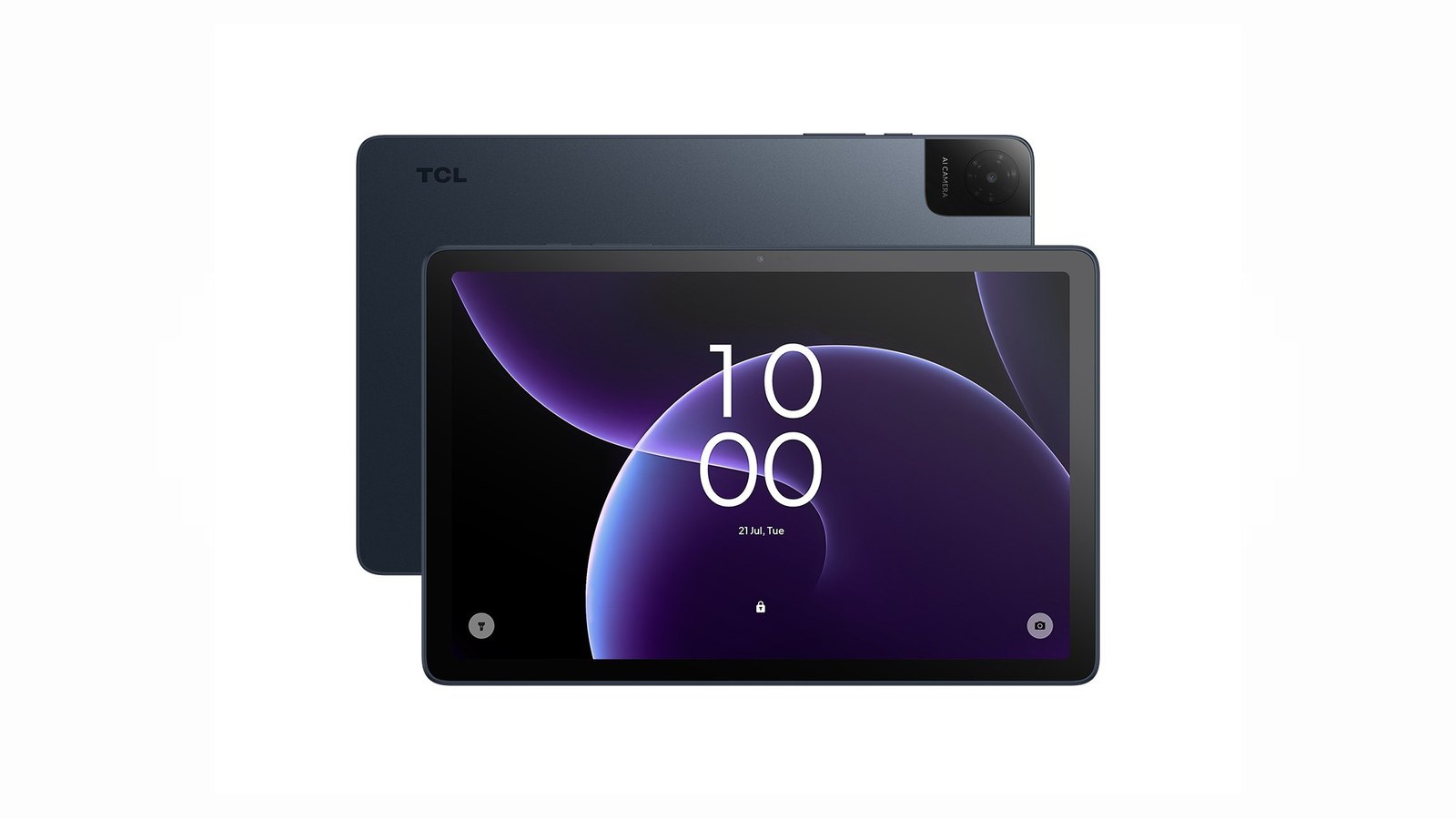
The TCL TAB 10 Gen 4 is the most simply specified tablet in TCL’s range, and that is not an insult — it is the point of the product. It is the smallest, the lightest, the only one with a headphone jack, and the only one whose entire software pitch is aimed at a parent handing a device to a child. Where the A1 Plus spends its budget on a 2.4K 120Hz panel and an aluminum body, the TAB 10 Gen 4 spends it on being portable and on having the parental controls switched on from the first boot.
What you get for that is a 10.1-inch IPS panel at 1920 by 1200 in a 16:10 shape with TCL’s NXTVISION enhancement, a MediaTek MT8786V octa-core chip with NXTURBO, Android 15, a 6,000mAh battery with up to 18W charging, and a metal unibody body at 7.5mm and 395g. You also get a 3.5mm headphone jack, which no other tablet in this range has.
This is a single-product review, not a roundup. We base it on manufacturer specifications, published coverage of the range, and aggregated verified-buyer feedback rather than our own trials. Our full method is on the Our Method page, and every source we relied on is listed at the bottom. We did not perform hands-on testing of this product.
An honest note on the evidence behind this review
We could not find an independent hands-on lab review of the US-market TAB 10 Gen 4. We looked for one specifically, because it is the model in this family we most expected to find one for.
Here is the full extent of the published coverage we could verify. CNET ran buying coverage of the Tab 10 Gen 4 as an everyday tablet. Android Authority’s roundup of TCL’s tablet range describes the Tab 10 Gen 4 as the budget entry point that skips TCL’s paper-display technology. PCMag’s back-to-school tablet coverage notes its metallic back and its thinness and recommends adding a third-party case for younger children. PCMag’s best Android tablets roundup mentions this model only inside a deals widget rather than as a tested pick. We also have three hands-on reviews of the larger TAB A1 Plus and launch coverage of the 11-inch TAB A1 — none of which are reviews of this tablet.
That absence matters, and we would rather tell you than paper over it. Everything numeric below comes from TCL’s own published specification and from the Amazon listing. The performance and endurance characteristics are reasoned from the family and the platform, and we flag them as such where they appear. If you need a lab-measured verdict on the TAB 10 Gen 4 specifically, this is not it.
What the TAB 10 Gen 4 actually is
The TAB 10 Gen 4 is a 10.1-inch Android 15 tablet built on a MediaTek MT8786V octa-core processor with TCL’s NXTURBO optimization layer. It has 4GB of physical RAM with an additional 8GB of RAM expansion on top, 128GB of internal storage, and a microSD slot that accepts cards up to 1TB. The body is a 7.5mm metal unibody weighing 395g. The battery is 6,000mAh with up to 18W charging over USB-C, and the charging block is not included.
Connectivity is the part of the specification that deserves a second look. Wi-Fi 5 is the only wireless standard listed, alongside Bluetooth 5.1, a USB-C port, and a 3.5mm headphone jack. The headphone jack in particular is not an incidental detail — it is the difference between two children on one tablet using two sets of wired headphones and one set of Bluetooth headphones sharing.
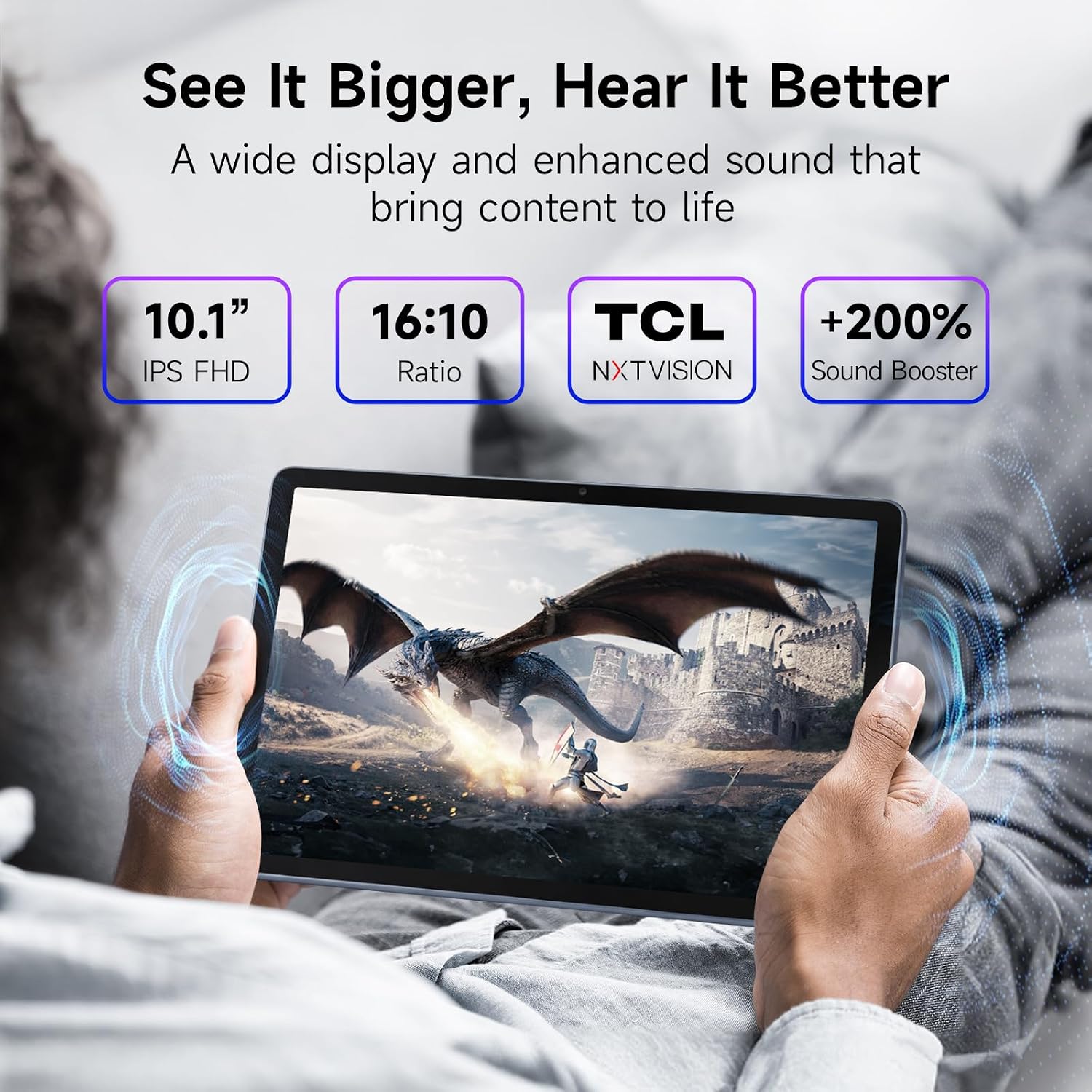
- Display: 10.1-inch IPS FHD (1920 × 1200), 16:10, NXTVISION enhancement; no refresh rate published
- Processor and memory: MediaTek MT8786V octa-core with NXTURBO, 4GB RAM plus 8GB expansion (16GB total)
- Storage: 128GB internal, microSD up to 1TB
- Operating system: Android 15
- Battery: 6,000mAh, up to 18W USB-C charging; charging block not included
- Build: 7.5mm metal unibody, 0.87 lb (395g)
- Audio and cameras: Dual speakers with Sound Booster, face unlock, 5MP front, 8MP rear
- Software: Android 15 with Google Family Link, Kids Space, and Eye Comfort mode
- Connectivity: Wi-Fi 5, Bluetooth 5.1, USB-C, 3.5mm headphone jack
- Rating: 4.3 out of 5 stars from 184 global ratings
- Our score: 7.5/10
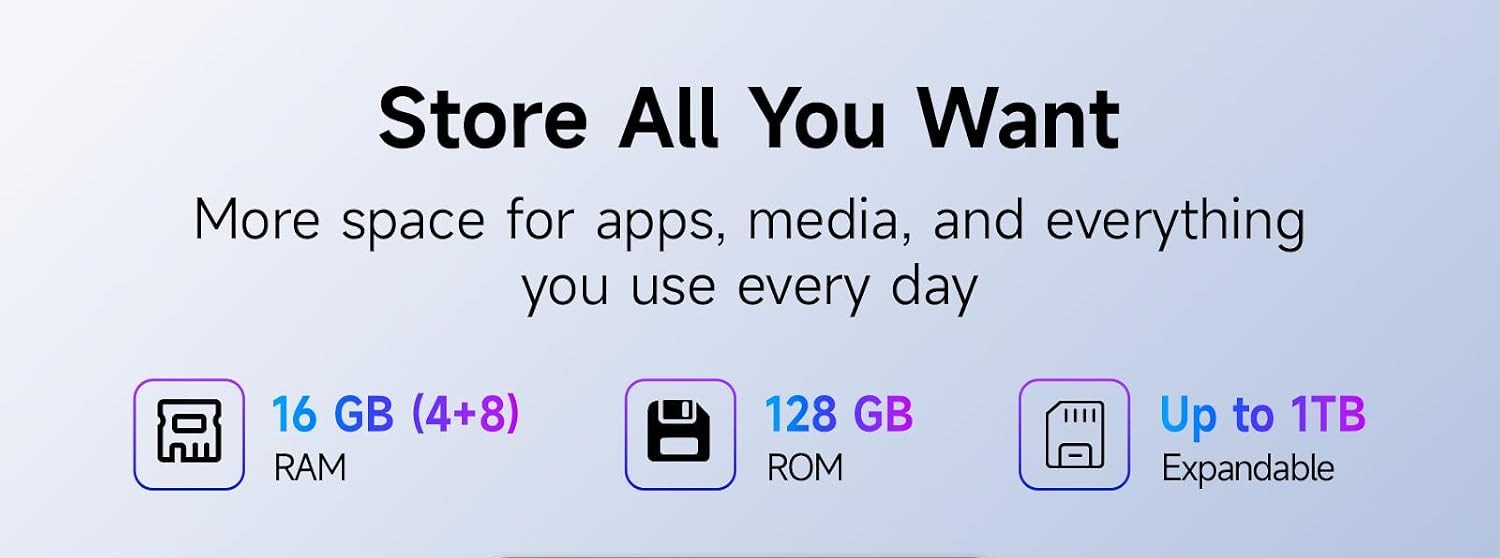
One note on the memory figure, because the box and the listing do not agree on how to present it. The product graphic labels the configuration “16 GB (4+8) RAM”, while the listing’s own bullet describes it as 4GB of physical RAM plus 8GB of RAM expansion. Both describe the same hardware: 4GB of real memory and 8GB of virtual memory the tablet uses as swap space. Plan around the 4GB.
The display is good, and the missing refresh rate is the real gap
A 10.1-inch IPS panel at 1920 by 1200 in a 16:10 shape is a sensible spec for this size, and NXTVISION handles the color and contrast work. At this class the screen is not where TCL cut corners visibly.
But there is a genuine gap in the specification, and it is worth naming rather than glossing over: neither TCL’s product page nor the Amazon listing publishes a refresh rate for this model. The two A1 tablets in this range state theirs plainly — 120Hz and an adaptive 90Hz — so the absence here reads as a deliberate omission rather than an oversight. It also means you cannot know whether you are getting 60Hz or something higher, and if you are used to a 90Hz or 120Hz panel elsewhere, the scrolling on this tablet may look less smooth than you expect.
The MediaTek chip and the 6,000mAh battery are where the compromises are
The MT8786V is the least powerful processor across these three tablets, and TCL frames NXTURBO as much around power consumption and system efficiency as around raw speed — which is a reasonable way to describe a chip whose job is running a reader, a video player, and a browser without draining the battery by lunch.
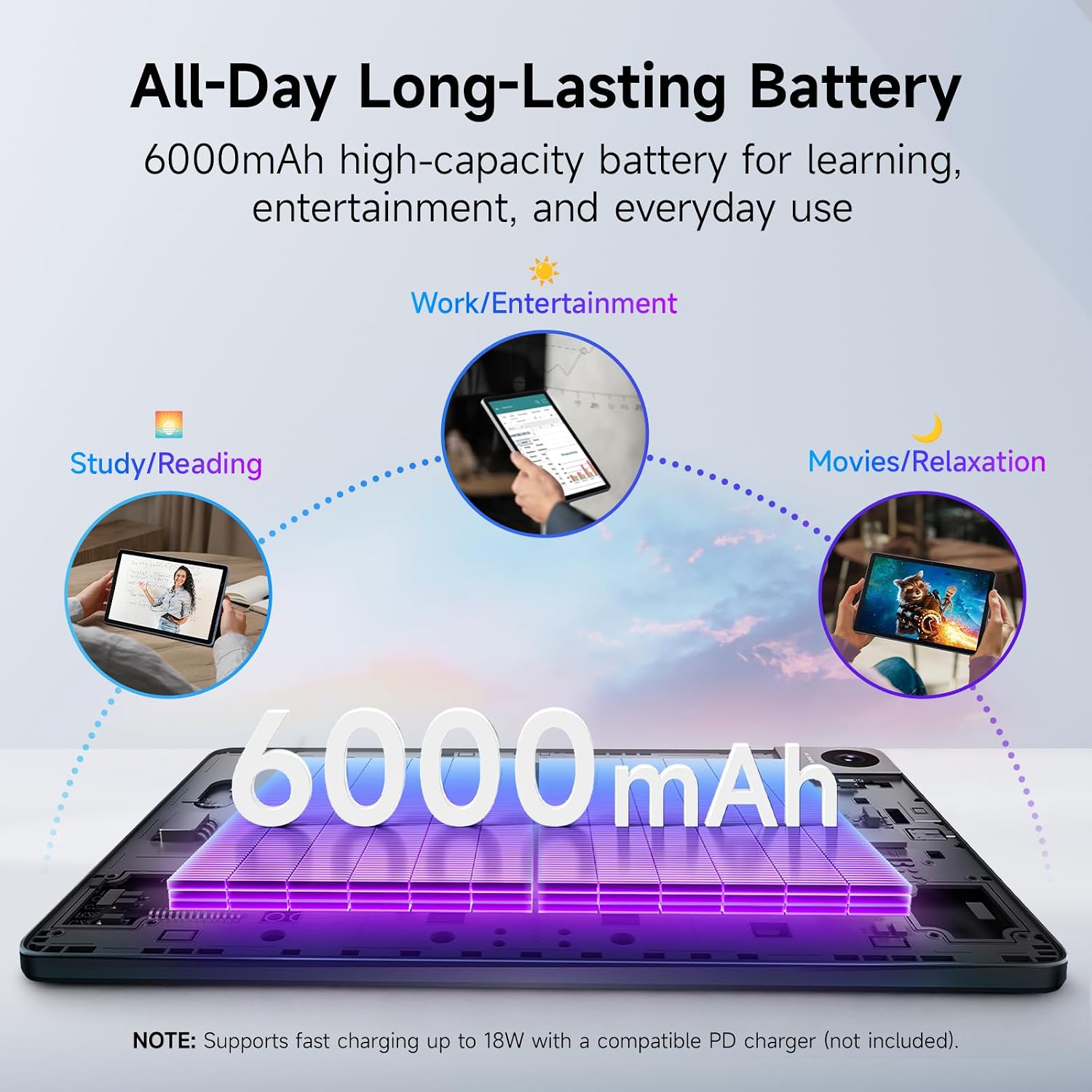
The 6,000mAh cell is smaller than the 8,000mAh in both A1 models, and the 18W charging ceiling is lower than their 20W. TCL’s own graphic is explicit that fast charging to 18W needs a compatible Power Delivery charger, and that charger is not in the box. So on this tablet you are budgeting for two things the A1 models also need but have more headroom for: a wall charger and patience on a long day out.
We want to be careful about endurance claims here, because we have no hands-on measurements for this specific model. The larger A1 Plus carries an 8,000mAh cell — a third more capacity — and PCMag’s review of it still found below-average battery life, which is a useful reminder that a big number on the spec sheet is a ceiling rather than a promise. A smaller cell on a less demanding chip is not automatically a worse outcome, but we are not going to predict a runtime figure we have not measured.
Android 15, and the AI suite that is not here
This is the clearest line between the TAB 10 Gen 4 and the two A1 models. The A1 and A1 Plus ship on Android 16 and TCL advertises the full AI stack on them — Gemini, Circle to Search, Writing Assist, Text Assist, and Smart Translator. TCL does not advertise any of that on the TAB 10 Gen 4, and it is not the sort of thing a firmware update adds later.
That is a deliberate trade rather than a failure. The reasoning holds together: for a child, a launcher with a curated set of categories, a parent-facing control panel, and a reading mode that is easier on the eyes is worth more than a set of AI writing tools aimed at a working adult. It also means this tablet will age differently from its siblings — Android 15 is one version behind the Android 16 on the A1 models, and support windows for the two are likely to differ.
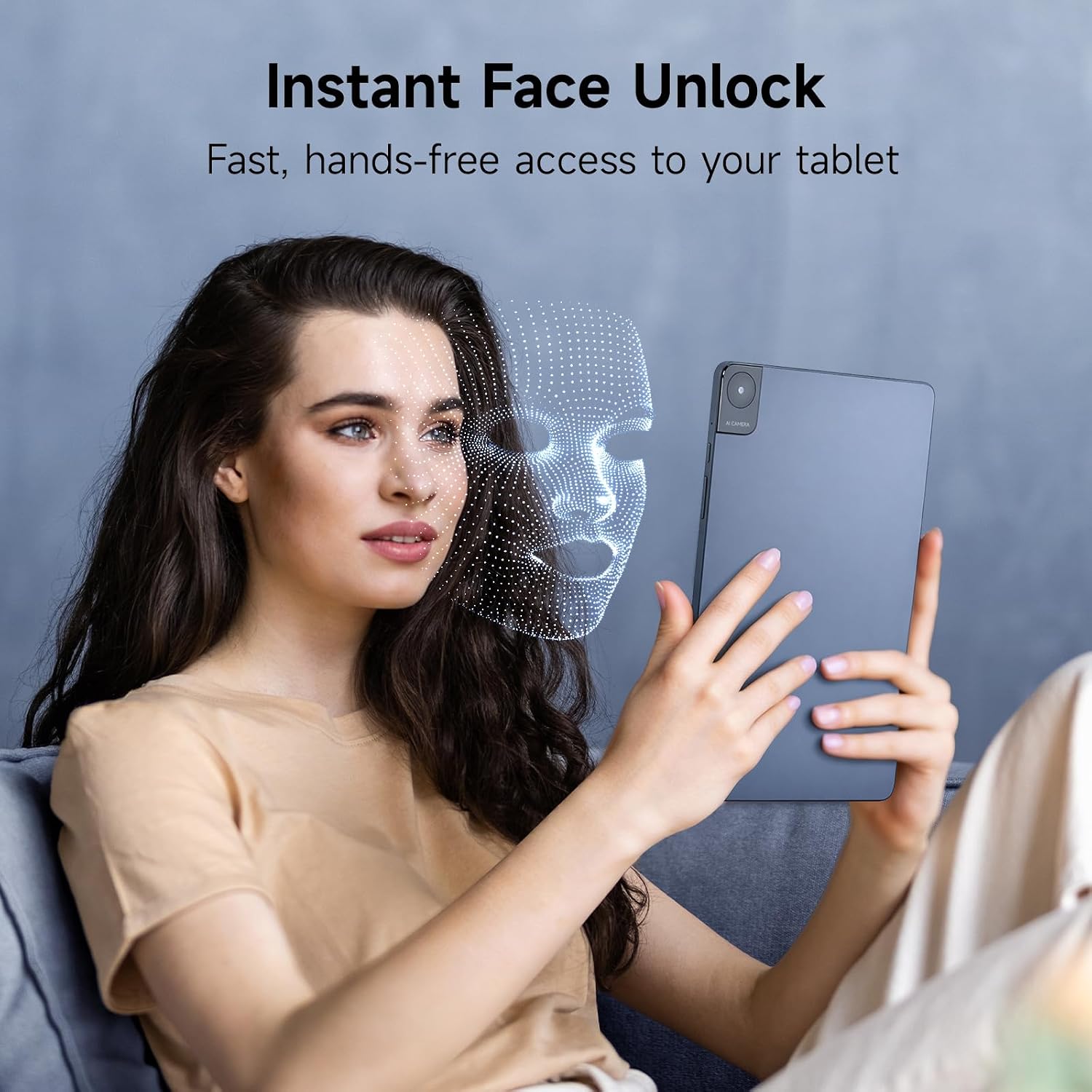
Face unlock, cameras, and the parent-facing software
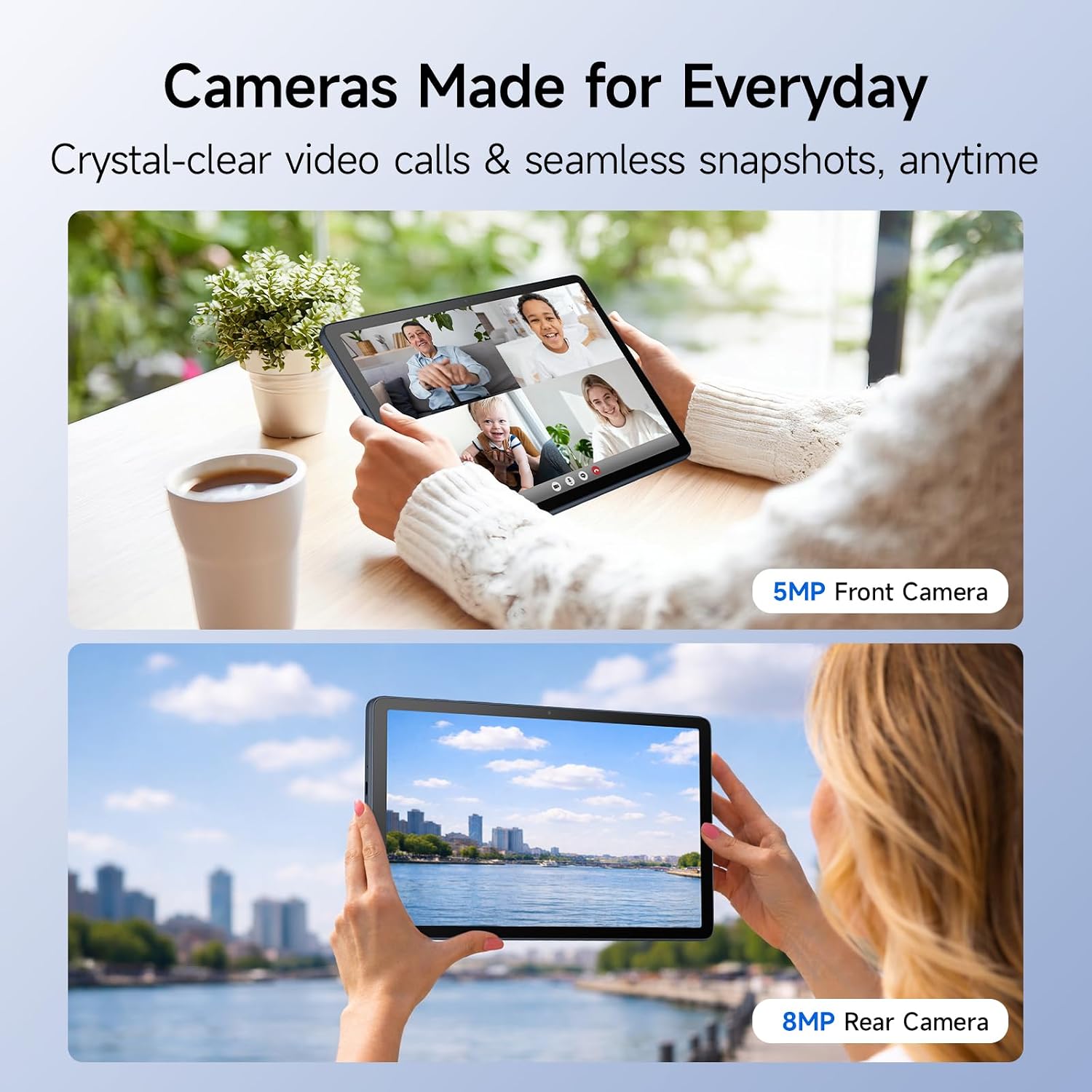
The front camera is 5MP and the rear camera is 8MP, and the tablet can unlock from the front-facing camera rather than asking a child to remember a PIN or a pattern. For a device that lives on a coffee table and belongs to a six-year-old, that is a meaningful convenience for whoever is the parent.
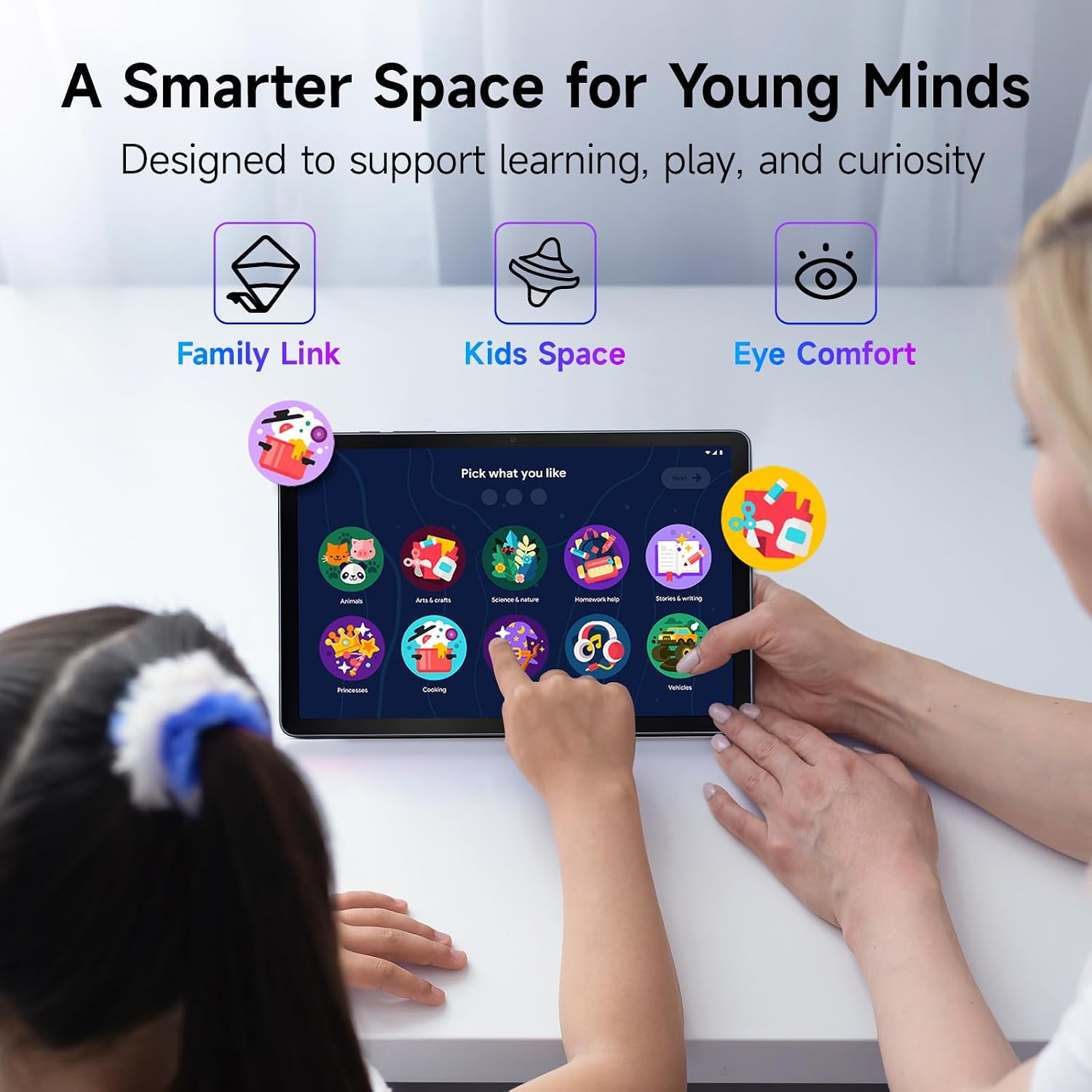
The software story is the reason this tablet exists. Google Family Link is the parent-side application for setting screen time limits, approving app installs, and managing a child’s account. Kids Space is the launcher that replaces the normal Android home screen with broad illustrated categories — things like Animals, Arts and crafts, Science and nature, Homework help, and Stories and writing — each one opening into a filtered set of content rather than the open web. Eye Comfort mode adjusts the display for longer reading sessions.
None of these require setup, a purchase, or an account you have to go looking for. They are on the device.
Build, size, and what is in the box
TCL’s own product graphic lists the body at 7.5mm thin and 395g, and PCMag’s back-to-school coverage measured it at 7.55mm — the same figure expressed to a slightly different rounding. Either way, this is the only tablet in TCL’s range you can genuinely hand to a small child without thinking about it. The A1 at 430g is manageable; the A1 Plus at 542g is a two-hand device for most children. PCMag singles out this tablet’s metallic back as a positive and, sensibly, recommends adding a third-party shockproof silicone case for younger children. That advice applies to every tablet on this page, but it matters most here.
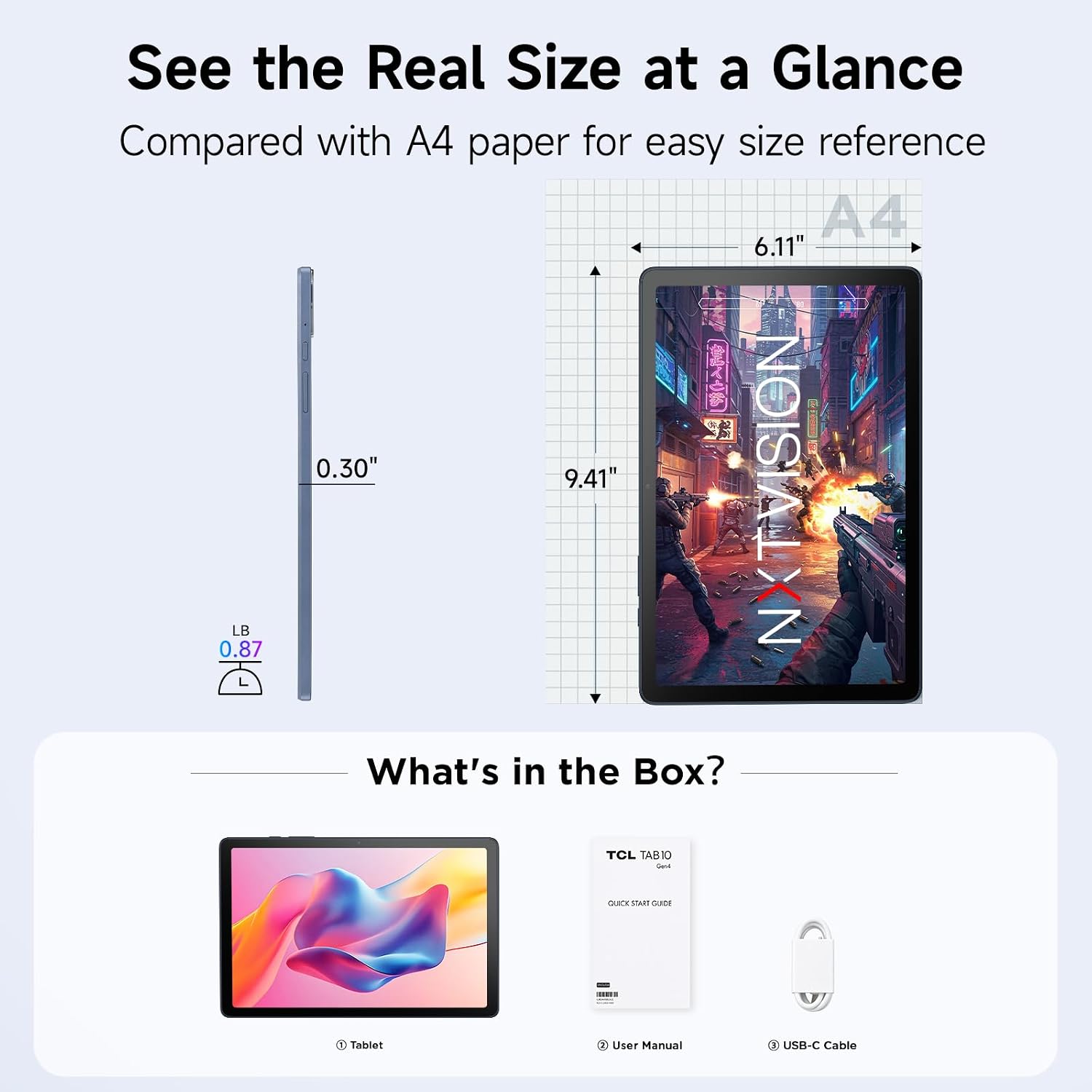
The box contains the tablet, a USB-C cable, and printed documentation — the listing itemizes a quick guide and product safety information, while TCL’s own graphic labels the same item a user manual. There is no charging block, no stylus, no case, and no keyboard.
Pros and cons
Pros
- ✔ Lightest tablet in the range at 395g, and the only one with a 3.5mm headphone jack
- ✔ Family Link, Kids Space, and Eye Comfort are on the device out of the box, no setup needed
- ✔ Metal unibody at 7.5mm thin, which is unusual at this price point
- ✔ microSD expansion to 1TB, and storage that starts at 128GB
- ✔ Face unlock, so a child does not need to handle a PIN to get started
Cons
- ✘ No refresh rate published by TCL or on the listing, unlike both A1 models
- ✘ 4GB of physical RAM and a MediaTek chip make it the slowest of the three
- ✘ Smaller 6,000mAh battery and an 18W charging ceiling, with no charger in the box
- ✘ Runs Android 15, one version behind the A1 models, and does not advertise the AI suite
- ✘ No independent hands-on lab review of the US-market model exists
View the TCL TAB 10 Gen 4 on Amazon
Prices and availability change daily on Amazon — check the listing for the current offer.
Who should buy it
Buy the TAB 10 Gen 4 if the tablet is going into a child’s hands. The parental controls are the product, the weight is manageable for a young user, the headphone jack means siblings are not negotiating over one pair of wireless earbuds, and the screen is large enough for a workbook and small enough to carry in a backpack.
Buy it if it is your first Android tablet and you want the simplest possible path: no stylus to lose, no keyboard to buy, no charger beyond the one you already own, and a launcher that cannot wander onto the open web by accident.
Who should skip it
Skip it if you want the sharpest screen in the range — the A1 Plus runs a 2.4K 120Hz panel in a 3:2 shape that is far better for reading documents and textbooks. Skip it if writing and editing are what you do on a tablet, because the AI writing tools that make the A1 models useful for work are not advertised on this one. And skip it if a fast refresh rate matters to you, because TCL has not published a figure for this model and we cannot tell you what you are getting.
Frequently Asked Questions
Is the TCL TAB 10 Gen 4 good for kids?
Yes — it is the model in this range designed for that. Google Family Link gives a parent screen time limits and install approval, Kids Space replaces the home screen with illustrated content categories instead of open app access, Eye Comfort adjusts the display for longer reading sessions, and face unlock means a child does not need to work a PIN. At 395g it is also the lightest of the three.
Does the TCL TAB 10 Gen 4 come with a stylus or a keyboard?
No. There is no stylus in the box and no keyboard in the box, and this model does not advertise stylus support. Keyboards and cases for the range are sold separately.
Does it come with a charger?
No. The listing states the charging block is not included, and the product graphic notes that fast charging up to 18W requires a compatible Power Delivery charger. The box holds the tablet, a USB-C cable, and printed documentation.
How much storage can I add?
The tablet has 128GB internally and a microSD slot that accepts cards up to 1TB. Note that the A1 and A1 Plus accept larger cards, up to 2TB.
How much RAM does it actually have?
4GB of physical memory, plus 8GB of RAM expansion the tablet can use as virtual memory — 16GB in the same way the A1 models are described. TCL’s own product graphic labels the configuration “16 GB (4+8) RAM”. Plan around the physical 4GB.
Does it have a headphone jack?
Yes, a 3.5mm headphone jack, alongside USB-C and Bluetooth 5.1. It is the only tablet in TCL’s current range with one, which makes sharing a device between two children considerably easier.
What is the screen size and resolution?
10.1 inches at 1920 by 1200, which is a 16:10 shape. TCL does not publish a refresh rate for this model. The larger TAB A1 runs a 2.1K panel at an adaptive 90Hz, and the A1 Plus runs 2.4K at 120Hz.
Is it waterproof?
TCL makes no IP rating claim for this model, and we found no third-party source that publishes one. It is not something to treat as water-resistant. If you need a tablet that survives splashes, the A1 and A1 Plus are both rated IP54 against dust and water.
How long will it receive software updates?
It ships on Android 15, one version behind the Android 16 on the A1 models. We could not find a published support window for this specific model, so we are not going to estimate one. If that matters to your purchase, check with the manufacturer before buying.
How long does the battery last?
The cell is 6,000mAh with up to 18W charging. We have no hands-on endurance measurements for this model and we are not going to guess. Note the context: the larger A1 Plus has a third more capacity at 8,000mAh and still drew criticism for below-average battery life in published testing.
The bottom line
The TCL TAB 10 Gen 4 is the tablet in this range where the compromises are the point rather than a problem. You give up resolution, refresh rate — which TCL never published — a faster chip, a bigger battery, and the AI software suite, and in exchange you get the lightest body in the range, a headphone jack, and a set of parental controls that are switched on before you hand it over. For a child, that is the better trade, not the compromise.
Two things to keep straight before you buy. No refresh rate is published, so you are buying the display without knowing one of its two numbers. And no independent hands-on lab review of this US model exists, so every figure here comes from TCL and from the listing rather than from a measured test.
We would rate this a 7.5 out of 10. It is a genuinely well-built, thoughtfully configured tablet for a specific job, and if that job is a child’s tablet or a first tablet, it is doing it better than the more expensive models in the range would.
View the TCL TAB 10 Gen 4 on Amazon
Prices and availability change daily on Amazon — check the listing for the current offer.
Sources cited in this article
- CNET — buying coverage of the TCL Tab 10 Gen 4 as an everyday tablet (September 15, 2026; headline paraphrased to omit a price figure)
- Android Authority — a roundup of TCL’s tablet range and where the Tab 10 Gen 4 sits within it, including its position as the entry point that skips the paper-display technology (Matt Horne, March 25, 2026; headline paraphrased to omit a price figure)
- PCMag — back-to-school tablet savings coverage (Juhi Wadia, August 7, 2026; headline paraphrased to omit a price figure; metallic back, thinness, and third-party case advice)
- PCMag — “The Best Android Tablets We’ve Tested for 2026” (Jamie Lendino, updated October 6, 2026; cited only for the fact that the TAB 10 Gen 4 appears in a deals widget rather than as a tested pick)
- TCL — official TAB 10 Gen 4 product page at tcl.com
- Amazon — manufacturer listing for the TCL TAB 10 Gen 4, including aggregated verified-buyer ratings, box contents, and the note that the charging block is not included (accessed November 2026)
This article contains affiliate links. When you buy through them, we may receive a commission from the brand or platform at no additional cost to you. Our editorial process is independent of affiliate relationships — see our Affiliate Disclosure and Our Method.