TCL NXTPAPER 14 Review: A 14.3-Inch Paper-Like Tablet for Reading, Notes, and Sheet Music
The TCL NXTPAPER 14 pairs a 14.3-inch 2400×1600 matte display with three paper-like viewing modes, a 10,000mAh battery, and a bundled 4096-level T-PEN stylus. We look at what the paper-like panel actually is, what the Helio G99 can and cannot do, and where the missing microSD slot and 60Hz refresh rate matter.
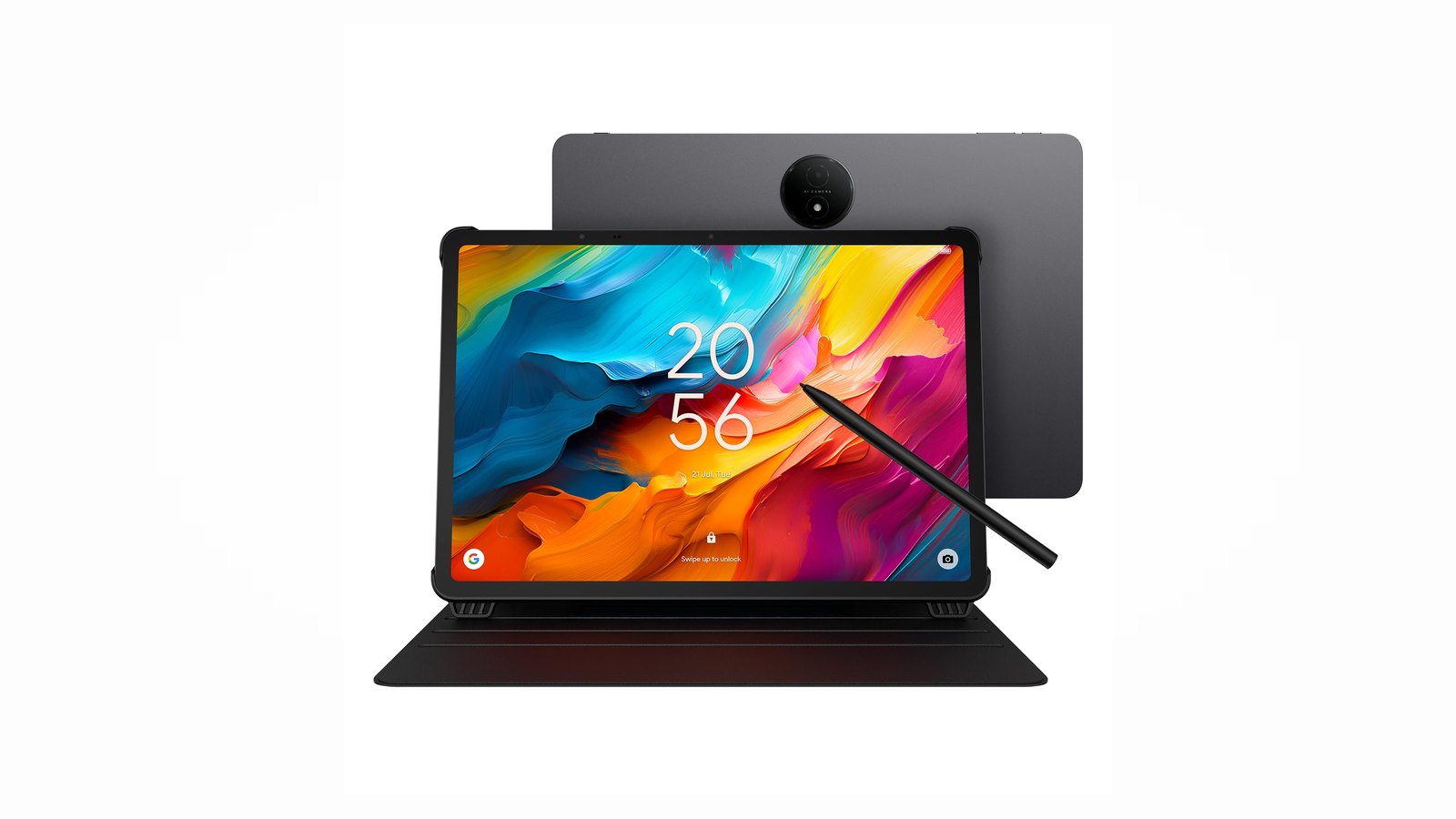
The TCL NXTPAPER 14 is the largest tablet TCL makes, and the one built around a different premise from the rest of the range. Where the TAB A1 and A1 Plus are general-purpose Android tablets that happen to have good screens, this is a large-format reading, handwriting, and drafting machine with a matte panel, three display personalities, and a stylus in the box.
At 14.3 inches, it is also a genuinely different object from anything else on this site. The screen is close to A4 paper in proportion, which is the point: TCL designed it to show a page of a textbook, a manuscript, or a piece of sheet music at close to life size. The flip case folds back into a stand, and the T-PEN stylus registers 4,096 levels of pressure, so the pitch is that you could use this instead of paper for a good many hours a week.
We base this review on TCL’s published specifications, the manufacturer listing for this exact configuration, and TCL’s own product photography. We did not perform hands-on testing of this product.
An honest note on the evidence behind this review
We could not find an independent hands-on lab review of the TCL NXTPAPER 14 that we could verify. Launch coverage exists, but the details we would need — measured brightness, sustained performance, real battery endurance — were not available to us from a source we could read directly. So everything specific below is either a manufacturer specification, a manufacturer listing figure, or an observation made directly on TCL’s own product graphics.
That distinction matters more on this tablet than on most, because several of its headline claims are about the display and one of them is technically misleading. TCL markets the NXTPAPER 3.0 panel as a paper-like, “full-color electronic paper” experience. Amazon’s specification table for this listing describes the display type as LCD, with a 60Hz refresh rate. Both are true in a narrower sense: this is an LCD with a matte, anti-glare filter layer over it and a display mode that simulates an e-ink look, not e-ink hardware. Knowing that changes what you should expect from it, so we come back to it below.
We are also not going to quote you buyer comments. We were not able to extract individual review text from the listing, so the only buyer data we can stand behind is the aggregate: a 4.4-star average across 471 global ratings on the Amazon listing at the time of writing.
What the NXTPAPER 14 actually is
The TCL NXTPAPER 14 is a 14.3-inch Android tablet built on a MediaTek Helio G99, with 8GB of RAM plus an additional 8GB of virtual memory expansion, 256GB of internal storage, and a 10,000mAh battery. The body is 0.27 inches thick, weighs 1.67 pounds, and carries an IP54 dust-and-splash rating in a Matte Gray metal finish.
- Display: 14.3 inches, 2400 × 1600 (2.4K), LCD with an anti-glare matte layer, 60Hz refresh rate
- Display modes: Standard, Color Paper, and Ink Paper, switched from a dedicated NXTPAPER key
- Processor and memory: MediaTek Helio G99 (6nm), 8GB RAM plus 8GB virtual RAM expansion
- Storage: 256GB internal, no microSD card support
- Operating system: Android 15, with an upgrade path to Android 16
- Battery: 10,000mAh (39.86Wh), 33W PD fast charging, 1.5A reverse charging; charging block not included
- Stylus: 4096-level T-PEN stylus included, magnetic attachment to the case
- Build: 0.27 inches thick, 1.67 lbs, metal body, IP54 dust and splash rating, Matte Gray
- Dimensions: 12.69 inches wide by 8.74 inches tall by 0.27 inches thick
- Audio: Quad stereo speakers with Smart PA; TCL rates Sound Booster at up to 200% volume
- Cameras: Dual front cameras (13MP + 5MP), 8MP rear autofocus, 1080p video
- Rating: 4.4 out of 5 stars from 471 global ratings
- Listing position: #61 in Computer Tablets on Amazon at the time of writing
One line deserves unpicking. The “8GB + 8GB” in the product name is 8GB of physical memory plus 8GB of virtual memory that the tablet uses as swap space. It helps when you run many apps at once. It does not make the processor faster. Treat 8GB as the real number.
The storage line deserves a second note. The listing says it plainly: built-in storage only, microSD not supported. That is a real difference from TCL’s other tablets in this family, which take microSD cards up to 1TB or 2TB. On a 256GB device with no card slot, a large video library becomes a problem you solve with a subscription or a cable rather than with a card.
The display is the reason to buy this tablet
A 14.3-inch 2.4K panel is the headline, and the number that matters most is 2400 × 1600 across a screen that measures 12.69 by 8.74 inches. That is a density of roughly 214 pixels per inch, which puts text on the page at a size that matches paper closely enough that a PDF of a textbook looks like the textbook.
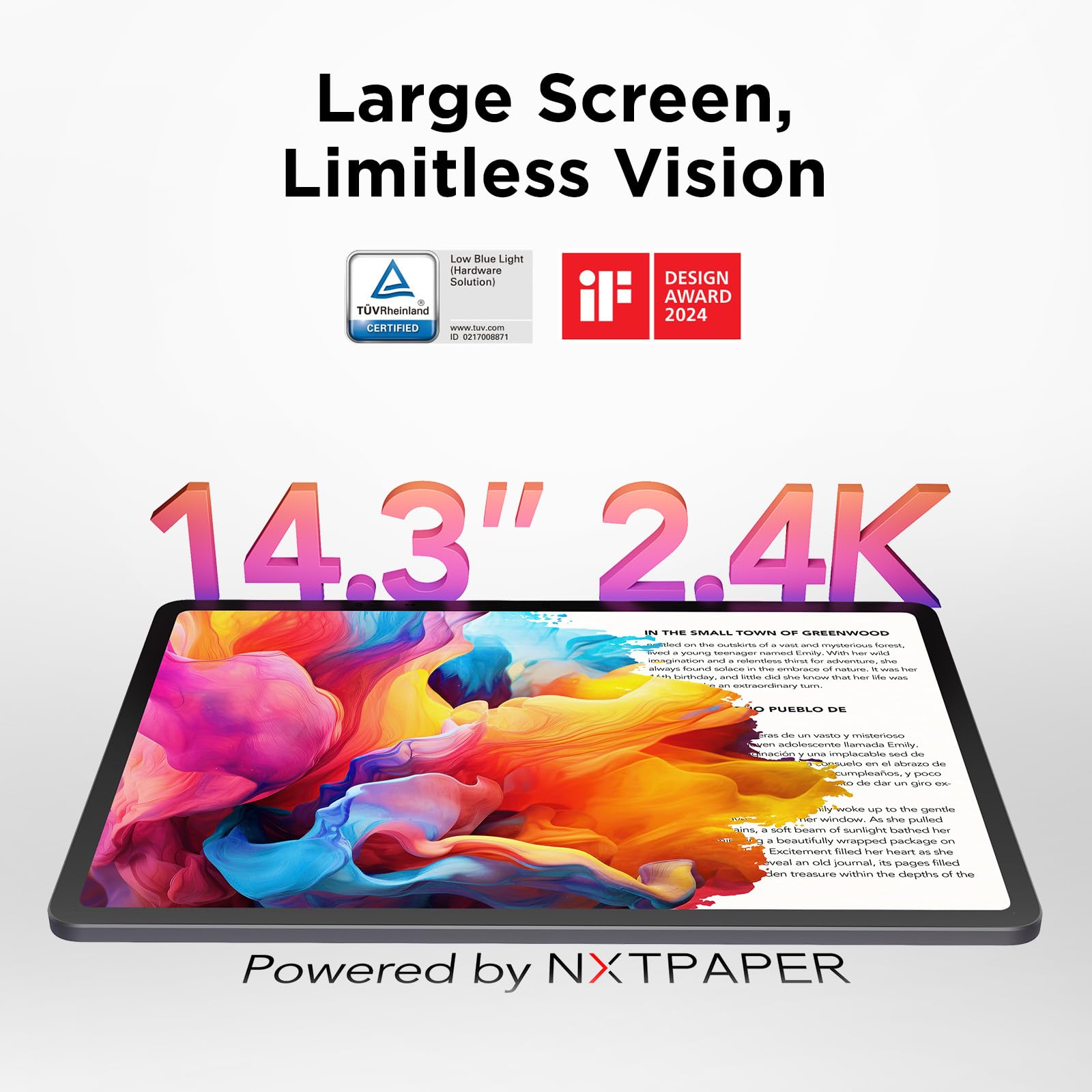
The graphic above carries two marks worth mentioning precisely, because they appear on the manufacturer’s own product image and we are reporting what is printed there rather than vouching for them: a TÜV Rheinland Low Blue Light (Hardware Solution) certification with ID 0217008871, and an iF Design Award 2024 mark.
The size is the double-edged part of this. A 14.3-inch tablet at 1.67 pounds is heavy. It is portable in the way a laptop is portable, not the way a phone is, and anyone who wants one hand and a coffee is going to be disappointed. What you get in exchange is a working surface that does not need a second device next to it.
Three display modes, one key
The distinctive feature is the dedicated NXTPAPER key, which switches between three display personalities rather than just cycling brightness.
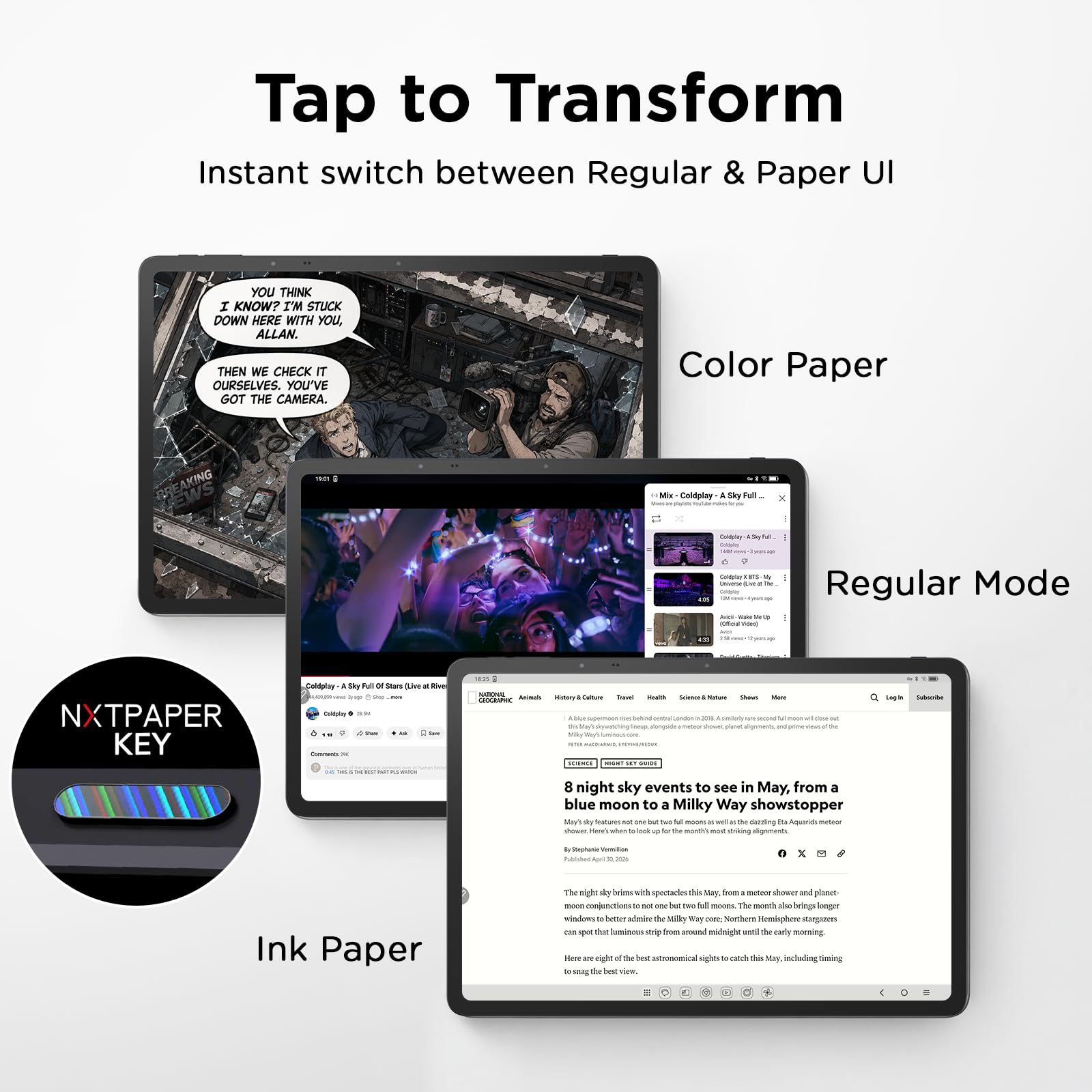
- Regular Mode is the conventional full-color presentation, which TCL describes as the option for movies, streaming, and video calls.
- Color Paper keeps color but flattens contrast and warms the palette, which TCL positions for graphic novels, manga, and magazines.
- Ink Paper is the e-ink simulation — monochrome, high contrast, the mode the tablet is named after and the one you would use for a document or a handwritten page.
The Ink Paper mode on an LCD has an obvious physical limitation: it is a filter that imitates the e-ink look, so it will not have the same refresh behavior as a true e-ink panel, which refreshes only when the image changes. Expect it to look convincingly paper-like, not to behave like an e-ink display. That distinction is worth keeping in mind if you are comparing this against a dedicated e-reader on price and weight.
Eye comfort is the feature, and the tech is a filter
TCL’s eye-care story is built on three layers: built-in low blue light filters, a fingermark-free matte surface layer, and flicker-free DC dimming. On top of that sits software — an Eye Care Assistant that adjusts brightness and color temperature automatically and sends break reminders, plus auto-adjusting viewing that responds to ambient light and time of day.
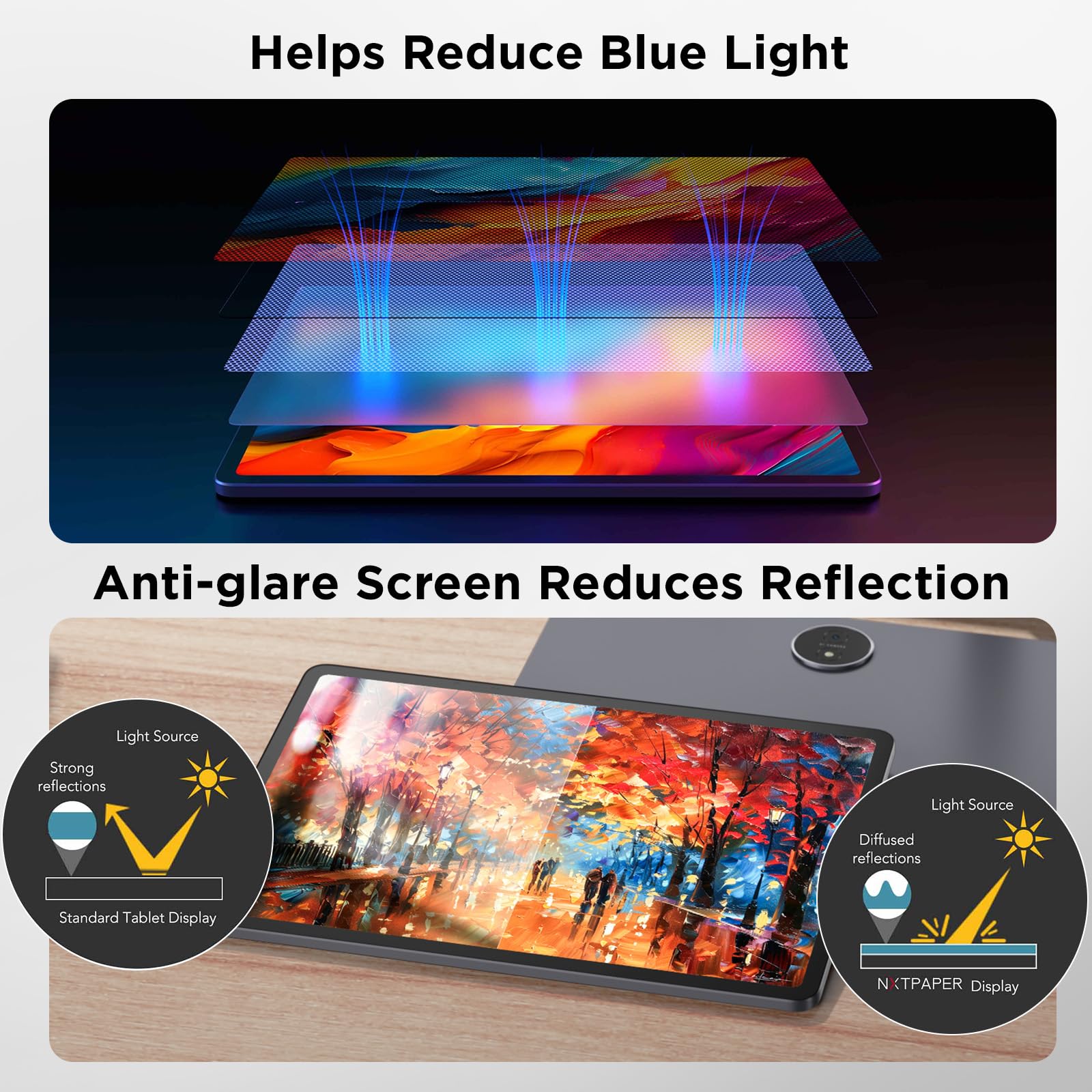
We can verify that TCL builds these features into the product and that they are described this way on the manufacturer’s graphics. We cannot verify the measured effect of the blue light filtering, because that requires instruments and a panel in a lab, and we do not have published independent measurements for this model. DC dimming in particular is a specification claim rather than something a reader can confirm from a product photo.
What is reasonable to say is that the matte layer is visible in the product photography — the display has a distinctly non-reflective, paper-like finish, and the tablet is marketed as usable at any angle without glare, which is a property of the surface treatment rather than a claim about brightness.
A 14.3-inch screen is the size of a sheet of music
TCL’s own graphic puts the screen next to a standard sheet of A4 paper and a piece of sheet music, and the comparison is more useful than it first appears.
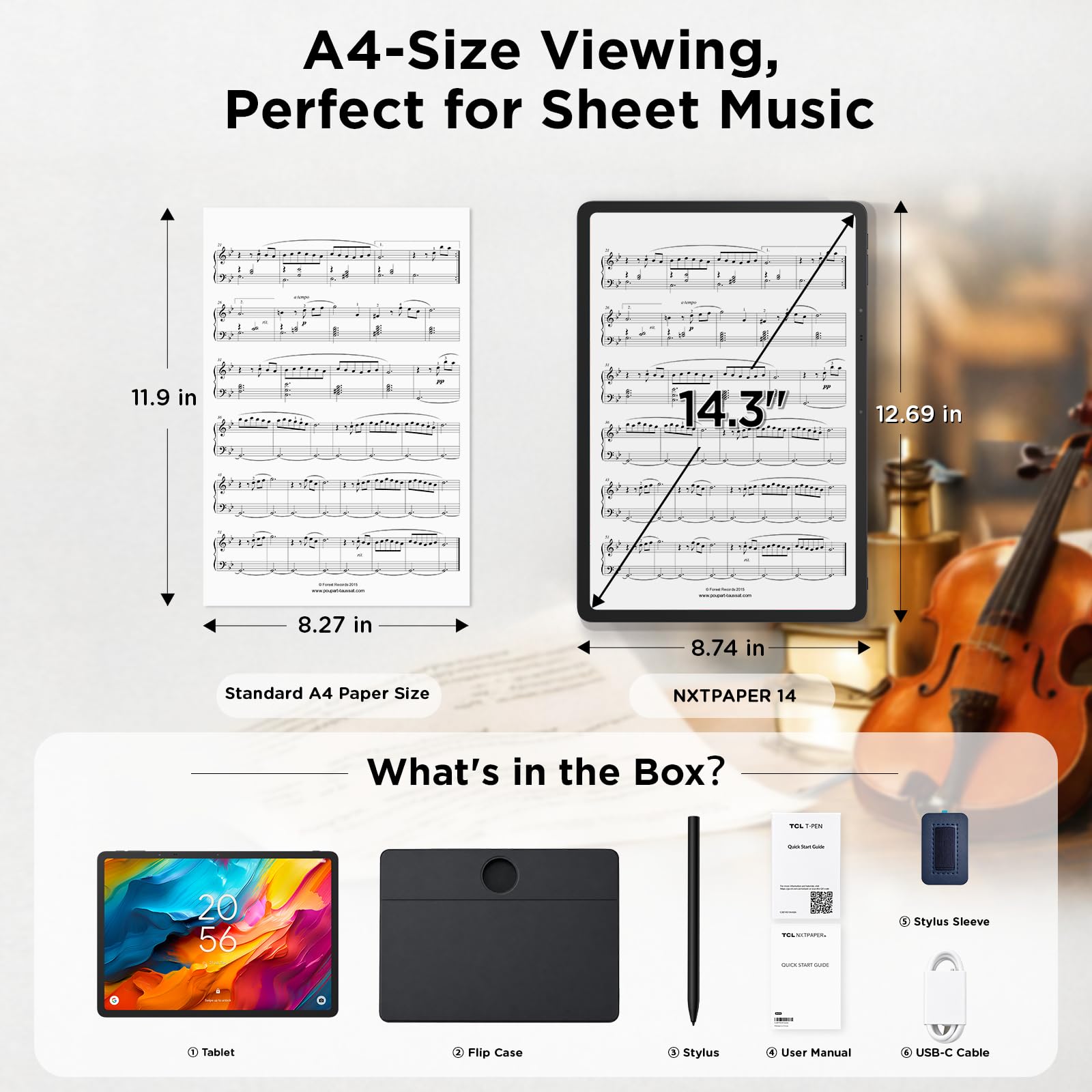
The screen measures 12.69 by 8.74 inches. A sheet of A4 paper is 11.9 by 8.27 inches. The tablet is larger than the paper, which means a full A4 page fits with margin to spare rather than being cropped or scaled down to fit. For a musician reading a score, or anyone annotating a document in a PDF viewer at 100%, that is a real functional advantage rather than a spec-sheet flourish.
The Helio G99 is the ceiling
The MediaTek Helio G99 is a 6nm chip built for efficiency, and TCL pairs it with 256GB of storage and the 8GB + 8GB memory configuration. It is a capable chip for reading, browsing, video, and note-taking, and an entry-level one for anything else.
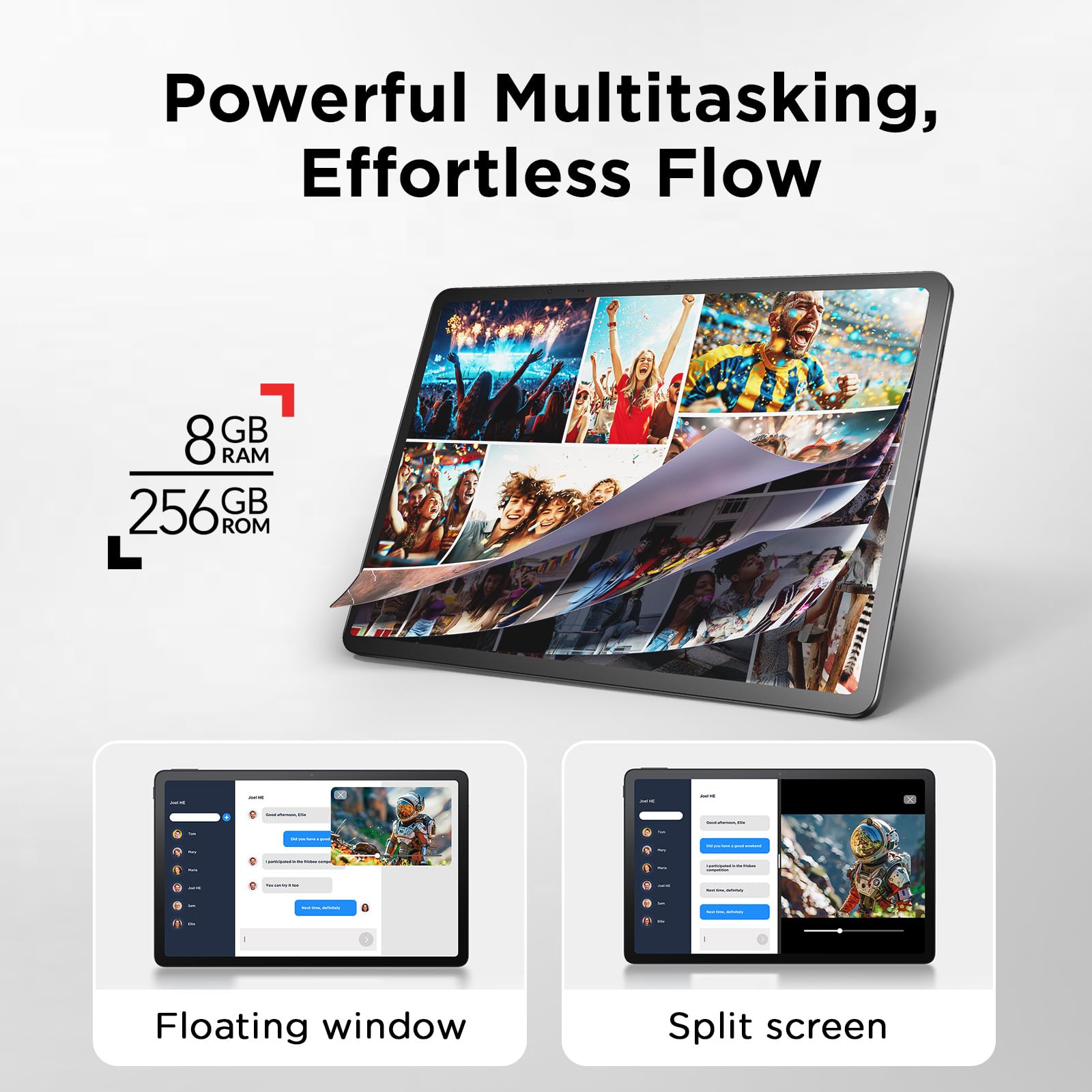
The multitasking layer is the part that matters for a tablet this size, and it is well specified: floating windows, split screen, mirror mode, and extend mode, meaning the NXTPAPER 14 can act as a second display for a computer. A large screen running a modest chip is a sensible trade if the work is documents rather than games, because the multitasking is handled by the software rather than by demanding that the processor render two complex 3D applications at once.
Two things to hold onto. This tablet ships with Android 15, one version behind the newer TAB A1 models, though the listing states it is upgradeable to Android 16. And with a 60Hz panel, scrolling smoothness will not match a 90Hz or 120Hz tablet — that is a hardware ceiling, and no software setting removes it.
Battery is the strongest specification in the range
The 10,000mAh cell is the biggest in TCL’s tablet line, and charging is 33W PD with a 1.5A reverse-charging output that turns the tablet into a power bank for a phone or earbuds.
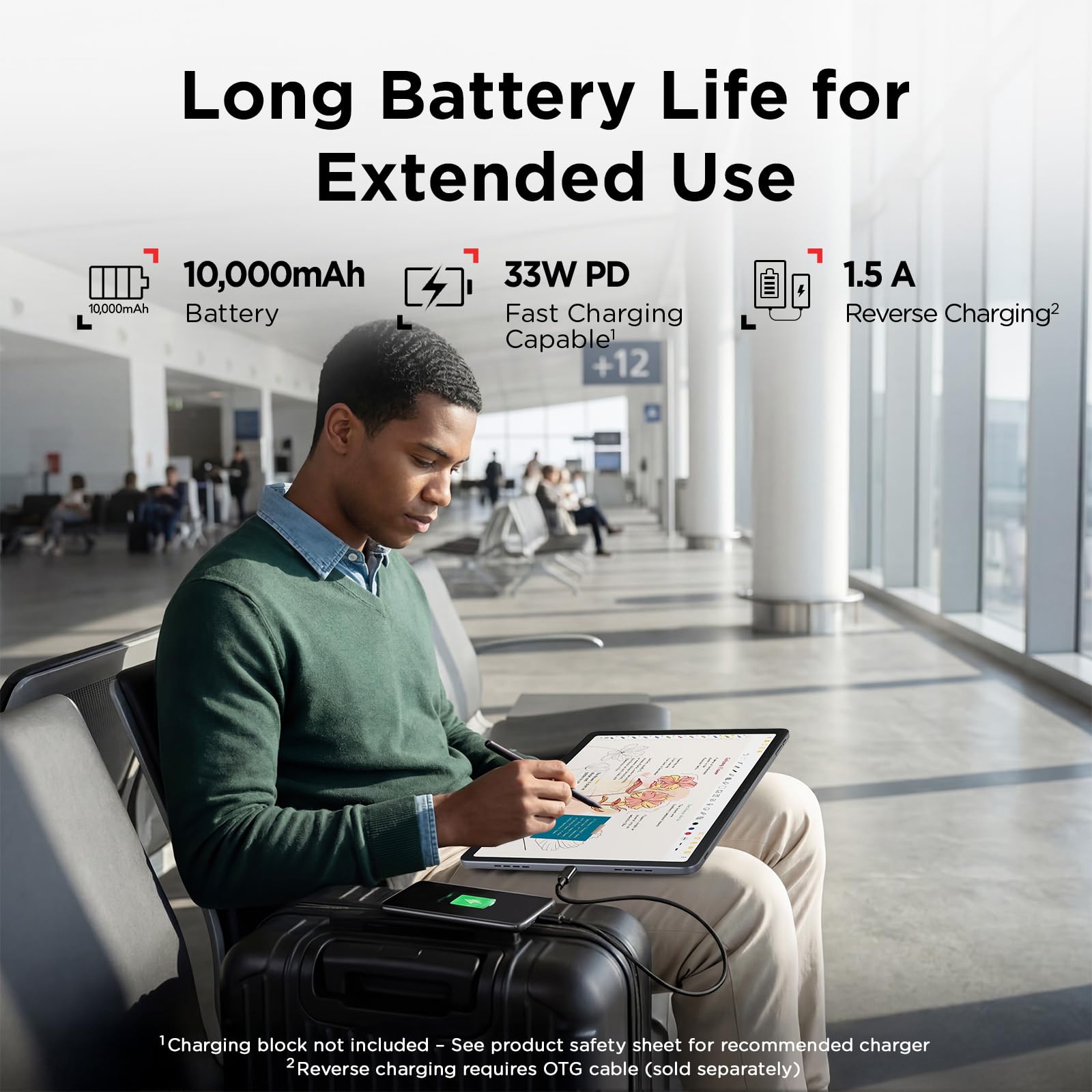
Two caveats belong on the same page as the claim. The charging block is not in the box, so you need a 33W USB-C PD charger to get the fast charging the specification describes. And reverse charging requires an OTG cable, which is not included either.
On capacity versus real endurance, we have no hands-on measurement for this model and no published independent endurance test we could read. Capacity is a ceiling, not a promise, and we would rather say that plainly than translate 10,000mAh into a number of hours we cannot stand behind.
Cameras and speakers
The camera arrangement is unusual for a tablet at this price. Rather than a single front camera, TCL fits a 13MP and a 5MP sensor on the front, and the rear camera sits in a circular module on the back of the tablet rather than the usual small square bump — visible in the product photography behind the tablet in the hero shot, and called out in the camera graphic.
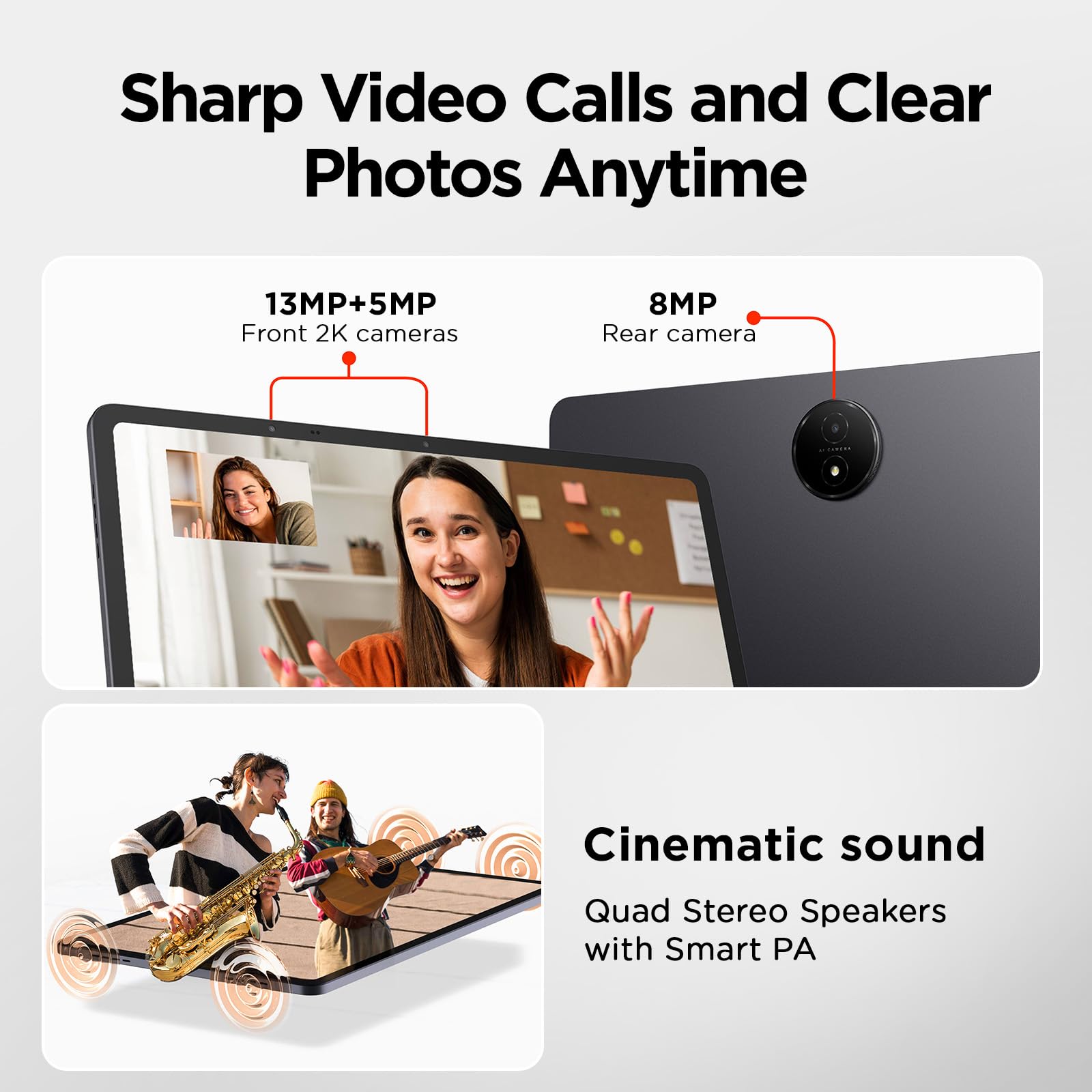
The 8MP rear camera is autofocus and records 1080p video. For a tablet whose main job is documents and handwriting, that is more than adequate. Audio is a quad stereo system with Smart PA, and TCL rates the Sound Booster function at up to 200% volume, which is a manufacturer claim we have not measured.
The stylus and the case are the best part of the bundle
The T-PEN stylus registers 4,096 levels of pressure, attaches magnetically, and ships in the box alongside an adjustable flip case. The case folds back into a stand at multiple angles, which TCL’s graphic shows being used both for viewing and for writing.
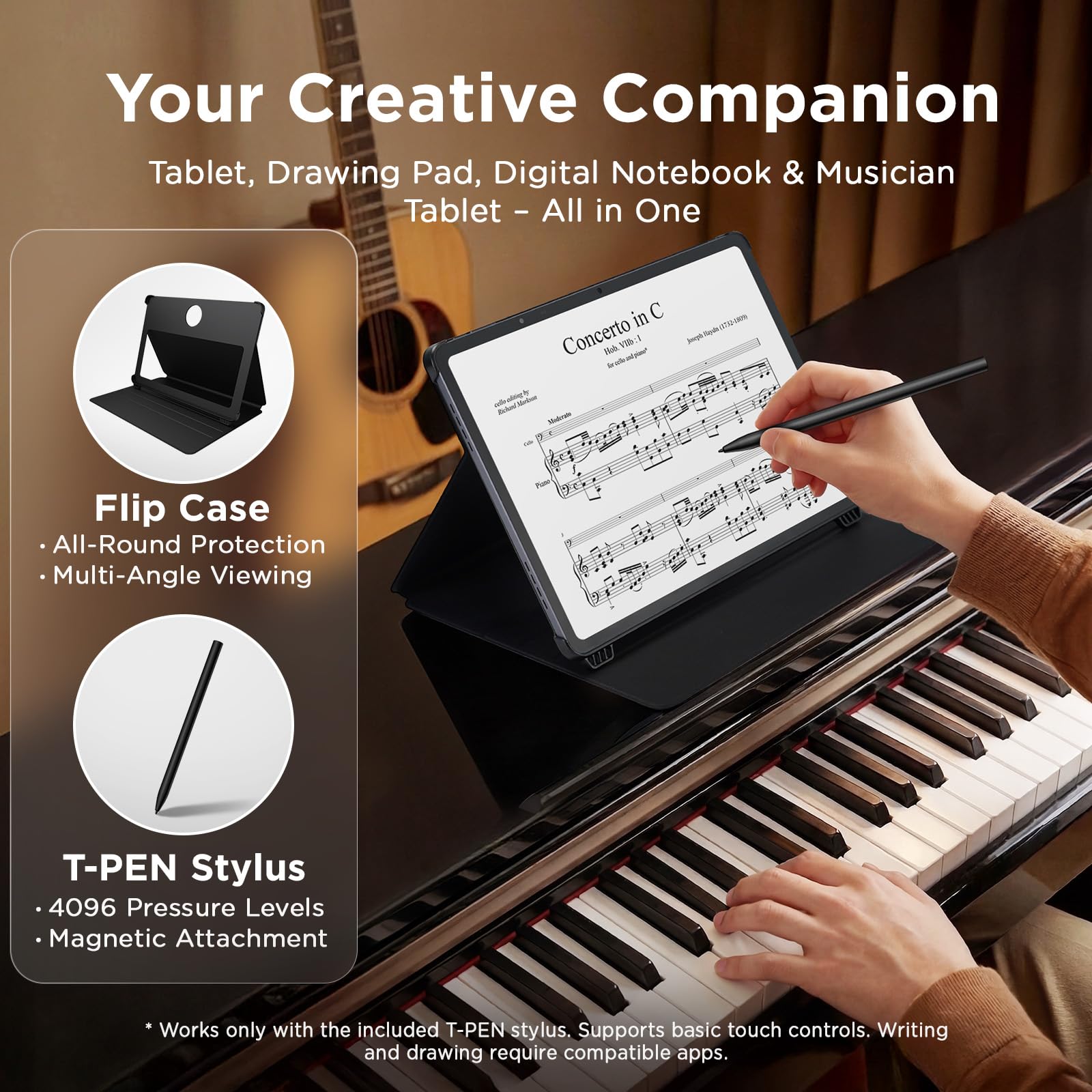
This is the part of the package that separates the NXTPAPER 14 from an ordinary large Android tablet. On the TCL A1 family, the equivalent paper-display edition bundles a stylus while the standard models sell the pen separately. Here the pen and the case are both in the box, which removes the single most common surprise after unboxing a large tablet.
One caveat from the fine print on TCL’s own graphic: the stylus works only with the tablet, and note-taking and drawing apps need to be compatible with it. Some third-party apps will not respond to the pen the way they do to a finger or to a dedicated digital-paper stylus.
What is in the box
TCL’s box-contents graphic lists the tablet, the flip case, the stylus, a user manual, a stylus sleeve, and a USB-C cable. No charging block, no keyboard, no stand beyond the flip case.
If you are outside the United States, check the bundle before you buy. On TCL’s global product page the T-PEN, the flip case, the TPU case, the dedicated stand, and the KB40 wireless keyboard are all listed as optional accessories sold separately, with availability varying by region and country. The configuration we have documented here is the one the manufacturer listing for this ASIN describes.
Pros and cons
Pros
- ✔ 14.3-inch 2400 × 1600 matte panel that is larger than A4 paper at 12.69 by 8.74 inches
- ✔ Three display modes on a dedicated NXTPAPER key, including a convincing Ink Paper mode
- ✔ 4096-level T-PEN stylus and an adjustable flip case included in the box
- ✔ 10,000mAh battery, the largest in TCL’s tablet range, with 33W PD fast charging and reverse charging
- ✔ IP54-rated metal body, 0.27 inches thick, in Matte Gray
- ✔ Dual 13MP + 5MP front cameras with a retractable 5MP module, plus an 8MP autofocus rear camera
- ✔ Quad stereo speakers with Smart PA, mirror mode, extend mode, floating windows, and split screen
Cons
- ✘ 60Hz refresh rate on a 2400 × 1600 panel, so scrolling will not feel as smooth as a 90Hz or 120Hz tablet
- ✘ No microSD card slot, so 256GB of internal storage is all you get
- ✘ 1.67 pounds is heavy for a handheld device, and a 14.3-inch tablet is not a one-hand proposition
- ✘ Ships with Android 15 rather than the Android 16 that the newer TAB A1 models launch with
- ✘ No charging block in the box, and reverse charging needs an OTG cable that is not included
- ✘ No independent hands-on lab review of this model was available to us, so endurance and display quality are unmeasured here
View the TCL NXTPAPER 14 on Amazon
Prices and availability change daily on Amazon — check the listing for the current offer.
Who should buy it
Buy the NXTPAPER 14 if you write by hand for a living or for study — a student annotating lecture slides, a musician working from a score, a designer or architect who wants a full-size drafting surface that is lighter than a laptop and far more portable than a paper notebook plus a pen.
Buy it if you read long documents for hours. The matte, anti-glare surface and the Ink Paper mode are built for exactly that, and a screen this size showing a full A4 page is the difference between reading a document and previewing it.
Buy it if the tablet is the only screen in the room and it needs to work as a second display, because extend mode and mirror mode turn the 14.3 inches into a workspace.
Who should skip it
Skip it if smooth scrolling is what you notice first. A 60Hz panel on a device this large is a compromise you will see every time you move a document.
Skip it if you need more than 256GB and have no way to add it, because there is no microSD slot on this model.
Skip it if you want a gaming tablet or a video-editing machine. The Helio G99 is an efficient mid-range chip, and the 60Hz display will not help it.
And skip it if you are buying outside the US without checking the bundle, because on TCL’s global page the stylus and case are sold separately, and the reason to buy this tablet over a cheaper tablet is largely what comes in the box.
Frequently Asked Questions
Is the TCL NXTPAPER 14 really an electronic paper display?
No, not in the technical sense. Amazon’s specification table for this listing records the display type as LCD with a 60Hz refresh rate. TCL markets NXTPAPER 3.0 as a paper-like, full-color electronic paper experience, and in Ink Paper mode the screen genuinely looks like e-ink — but it is an LCD with a matte anti-glare filter layer over it, not e-ink hardware. If you want true e-ink behavior, you need a dedicated e-reader.
Does the TCL NXTPAPER 14 come with a stylus?
Yes, in the configuration this listing describes. The box contents on the manufacturer’s graphic list the tablet, flip case, T-PEN stylus, user manual, stylus sleeve, and USB-C cable. The T-PEN registers 4,096 pressure levels and attaches magnetically. On TCL’s global product page, however, the T-PEN and flip case are listed as optional accessories sold separately with region-dependent availability, so check the bundle if you are buying outside the US.
Can I expand the storage?
No. The listing states that this model is built-in storage only and does not support microSD cards. You get 256GB internally and no way to add to it. Other tablets in TCL’s range accept microSD cards up to 1TB or 2TB, so this is a genuine difference between models.
How big is the screen relative to a sheet of paper?
The screen measures 12.69 by 8.74 inches. A sheet of A4 paper is 11.9 by 8.27 inches. The display is therefore larger than A4, which is why a full page fits without cropping — the comparison TCL makes in its own product graphics.
Does it come with a charger?
No. The box holds the tablet, flip case, stylus, user manual, stylus sleeve, and a USB-C cable, with no charging block. You will need a 33W USB-C PD charger to get the fast charging the specification describes. Reverse charging additionally requires an OTG cable, sold separately.
How long does the battery last?
The cell is 10,000mAh, the largest in TCL’s tablet range, and the listing states a full recharge in about two to three hours under optimal conditions with 33W fast charging. We do not have hands-on endurance measurements for this model and could not find an independent endurance test we could read, so treat the capacity figure as a ceiling rather than a promise.
Is it still getting software updates?
The tablet ships with Android 15, and the listing states it is upgradeable to Android 16. That puts it one version behind the newer TAB A1 and A1 Plus models, which launch on Android 16. We did not find a published update-support commitment specific to this model, so check TCL’s current policy for the configuration you are buying.
Can I use a keyboard with it?
Yes. TCL lists a KB40 wireless keyboard as an optional accessory, and the tablet runs Android’s standard Bluetooth keyboard support along with split screen, floating windows, mirror mode, and extend mode. The keyboard is not included in the box.
The bottom line
The TCL NXTPAPER 14 is a large, heavy, deliberately unusual tablet, and it is easier to recommend than to describe. If you want a 14.3-inch matte screen that shows a full A4 page, a stylus that is in the box, and a battery that outlasts everything else TCL makes, nothing else in this range does those three things together.
Three things to keep straight before you buy. The panel is an LCD with a filter layer, so the 60Hz refresh rate is a real limit and this is not an e-ink device. There is no microSD slot, so 256GB is the ceiling. And this is a 1.67-pound device that you will mostly use on a desk, not in a hand.
We would rate this a 7.6 out of 10. It does something specific better than the rest of the range does anything, and the reason to buy it is the screen, the stylus, and the size together rather than any one specification on its own.
View the TCL NXTPAPER 14 on Amazon
Prices and availability change daily on Amazon — check the listing for the current offer.
Sources cited in this article
- TCL — official NXTPAPER 14 product page at tcl.com (NXTPAPER 3.0 display technology, three VersaView display modes, Eye Care Assistant, auto-adjusting viewing, flicker-free DC dimming, IP54 rating, and the region-dependent list of optional accessories)
- Amazon — manufacturer listing for the TCL NXTPAPER 14, including the full feature-bullet set, the specification tables, box contents, aggregate verified-buyer rating, and best-seller placement (accessed November 2026)
- TCL — the manufacturer’s own product photography for this listing, including the display certification and design marks, the display-mode, eye-comfort, multitasking, battery, camera, size, and in-box graphics reproduced in this article
This article contains affiliate links. When you buy through them, we may receive a commission from the brand or platform at no additional cost to you. Our editorial process is independent of affiliate relationships — see our Affiliate Disclosure and Our Method.